Top 5 telephone problems in Quebec winters

Quebec winters subject our phones to extreme conditions that can reach -30°C and even drop to -40°C with the wind factor. From rapidly discharging batteries to unresponsive screens and condensation damage, understanding these problems will help you better protect your technological investment during the harshest months.
1. Rapid battery discharge in cold weather
The most frequently reported problem in winter concerns phone batteries. Cold temperatures affect the capacity and performance of lithium-ion batteries. Manufacturers generally recommend using devices in moderate temperature ranges to ensure optimum performance.
The lithium-ion batteries used in modern telephones lose their efficiency when the temperature drops below freezing. The cold slows down the chemical reactions inside the battery, reducing its ability to deliver energy.
According to Battery University, a respected reference source in the battery industry, lithium-ion batteries undergo a drastic reduction in performance at low temperatures. At -20°C, most batteries operate at around 50% of their normal capacity. This reduction in performance is explained by the increase in internal resistance and the slowing down of chemical reactions within the battery.
Practical solutions
- Keep your phone in an inner pocket close to your body
- Use an insulated case specially designed for winter use
- Avoid leaving your device in the car
- Carry an external battery in a warm place
2. Touchscreen frozen or unresponsive
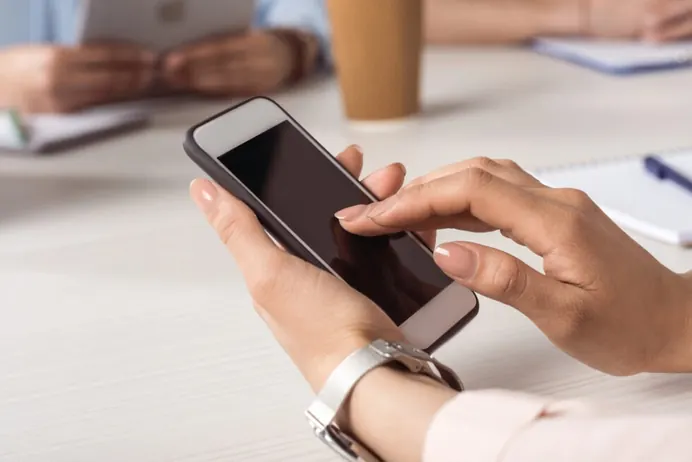
The second major problem concerns touchscreen responsiveness. In cold weather, many users find that their screen no longer responds to commands, or reacts with a significant delay.
The science behind the problem
Capacitive touchscreens work by detecting electrical changes caused by the touch of your finger. At low temperatures, the liquid crystals in the screen become more viscous, slowing down their reaction time. Manufacturers such as Samsung indicate in their documentation that use outside the recommended temperature range may affect touchscreen performance.
Comparison of screen types in winter conditions
| Screen type | Critical temperature | Cold reactivity | Recovery |
| LCD | -5°C to -10°C | Moderate to low | Rapid (5-10 min) |
| OLED/AMOLED | -10°C to -15°C | Good to moderate | Very fast (2-5 min) |
| IPS LCD | -5°C to -10°C | Moderate | Medium (5-15 min) |
What to do if your screen stops responding?
- Don’t force the screen, you may break it!
- Gradually warm up to room temperature
- Never use a direct heat source (hair dryer, radiator).
- Consult a repair professional if the problem persists
3. Condensation and water damage
The transition from extreme cold to a warm environment creates condensation inside your phone, even if it has never been directly wet.
The condensation phenomenon
When you move from a -20°C environment to an interior heated to 21°C, the moisture in the warm air condenses on the cold surfaces of your phone. This condensation can seep into the internal circuitry, causing short-circuits or corrosion.
Signs of condensation damage
- Visible fogging under screen or camera
- Intermittent operation
- Muffled speakers or microphones
- Red humidity indicator visible in ports
Prevention and intervention
If you suspect condensation, switch off your phone immediately and allow it to return gradually to room temperature before switching it back on. For more serious liquid damage, promptly consult a qualified technician, who can professionally clean the internal components.
4. Cracked screen amplified by frost
A small impact that would have caused a minor crack in summer can become catastrophic in winter. The cold makes the screen glass more fragile and less flexible.
The physics of glass in cold weather
When the temperature drops, the glass undergoes thermal contraction. This contraction increases internal stresses, making the screen more susceptible to breakage on impact.
Advantages and disadvantages of protection solutions
Tempered glass screen protector
Advantages:
- Superior impact protection
- Natural tactile sensation
- Scratch resistance
Disadvantages:
- May crack in very cold weather
- Higher prices
Protective hydrogel film
Advantages:
- Greater flexibility in cold weather
- Shock absorption
- Affordable price
Disadvantages:
- Less protection against heavy impacts
- Less premium feel
Winter protection case
Advantages:
- Complete device protection
- Thermal insulation
- Maximum shock absorption
Disadvantages:
- Additional space
- Can restrict access to ports
5. Charging problems and connectivity

The last major problem concerns your device’s charging and connectivity in winter conditions.
Why won’t the phone charge?
Many phones have thermal protection mechanisms that prevent charging when the battery is too cold or too hot. This prevents permanent damage to the battery, but can be frustrating when you urgently need to recharge your device.
Impact of cold on load components
Temperature also affects charging ports and cables. Plastic and rubber become brittle, and metal contacts can frost. According to Environment and Climate Change Canada, Quebec winters are characterized by regularly below-freezing temperatures and variable humidity, creating difficult conditions for electronic components.
Protect your investment this winter
At Univerphone we understand the unique challenges of the Quebec winter. Our certified technicians offer a free diagnosis to assess the condition of your phone and suggest the best solutions for your needs. Whether you need a battery replacement, screen repair or professional cleaning after exposure to the cold, we use only high-quality parts backed by a 90-day warranty.
Don’t let winter compromise your connectivity. Contact today to book an appointment at one of our three locations: Mont-Royal, St-Eustache 1 or St-Eustache 2. Most repairs are completed in less than 30 minutes.
Frequently asked questions
1. Why does my phone suddenly switch off outside in winter?
Cold temperatures slow down the chemical reactions in the lithium-ion battery, reducing its capacity by up to 20%. Your phone shuts down to protect its internal components from permanent damage caused by extreme temperatures.
2. What should I do if my touchscreen stops responding after I've left it?
Never force the screen. Warm up the device gradually at room temperature in an inner pocket for 5-15 minutes. Never use a direct heat source such as a hairdryer or radiator.
3. What do I do if my phone falls in the snow?
Switch off the unit immediately without shaking it. Gently wipe the exterior and leave it to dry completely at room temperature for at least 2-4 hours. Do not attempt to switch it back on before this time. If the phone was switched on, consult a certified technician as soon as possible.
4. Is my old phone more resistant to the cold than a recent model?
Not necessarily. Older phones often have more degraded batteries, and therefore perform less well in the cold. However, their LCD screens sometimes hold up better than some OLEDs. The overall condition of the battery is more important than the age of the model.
5. Do winter phone cases really work?
Yes, insulated cases can keep your phone up to 10°C warmer than the ambient air. Look for cases with thermal lining and full protection.